
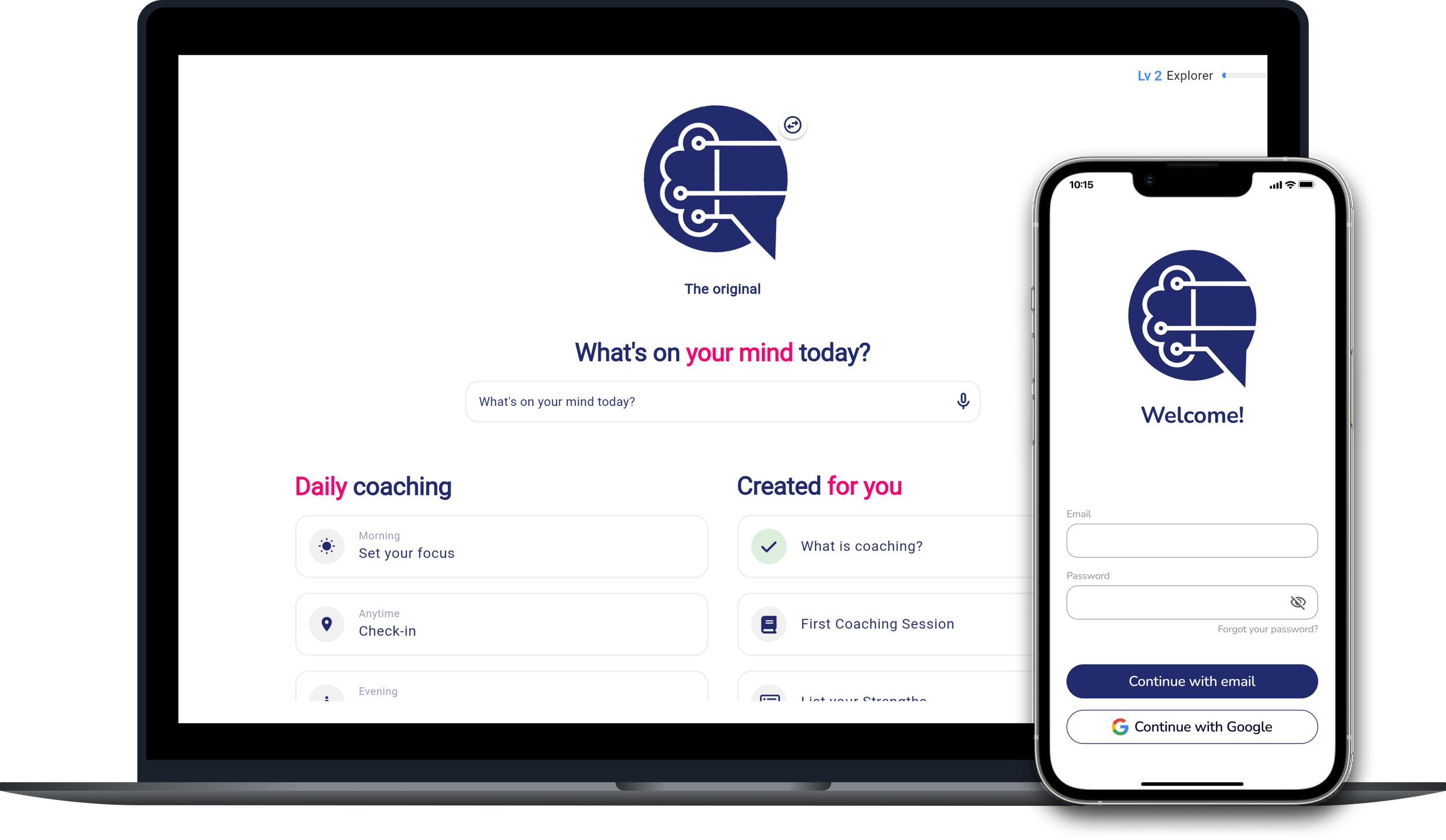
AI Coach
Making non-directive coaching more accessible with AI
OVERVIEW
AIcoach.chat is an early-stage AI-first platform providing 24/7 personalised non-directive coaching. AI coaching is an opportunity to provide a safe space to challenge self-reflection and personal growth anytime, anywhere. Over time, it can help users recognise unhelpful thought patterns, explore new perspectives, and make positive changes in their lives.
Initially offered through mid-to-large sized companies, the project centred on two key questions: would employees trust an AI coach with personal topics, and what were their core expectations?
ROLE:
Product Designer (End-to-End)
TYPE OF PROJECT:
Freelance
DURATION:
8 months
Part-time
TOOLS:
Google Forms
FigJam / Figma
Zoom
ChatGPT
NotebookLM
THE PROBLEM
Coaching sessions are not cheap (£80 to £200 on average) and it takes time to find and try out a professional.
On top of that, sharing personal issues with another human can feel intimidating for some people, due to fear of judgement - coaches, on their part, are not totally immune to biases.
All these factors can prevent people from exploring their thoughts and behaviours freely, which may contribute to unnecessary growing stress and life challenges.
BUSINESS GOAL
Identify key friction points affecting trust and retention, with a focus on privacy concerns within the B2B2C model, and better understand user expectations of an AI coach.
Research
COMPETITIVE BENCHMARK
ONLINE SURVEY
USABILITY TESTING
RESEARCH GOAL
The product was already grounded in established coaching frameworks (ICF, EMCC), supported by expert coaches, and had undergone multiple rounds of clinical testing (NHS Elect). However, no formal UX research had been conducted.
Understand how users perceive, trust and engage with an AI coach in a workplace context.
My research strategy focused on four primary areas:
Interest & Trust
Assess interest in an AI coach and identify privacy concerns in a workplace context
Prior Experience
Understand existing familiarity with human coaching to define user expectations
Mental Models
Identify perceived advantages and desired levels of humanity in an AI coach.
Outcomes vs Pleasure
Analyse the relationship between successful outcome and effort put during the process
COMPETITIVE BENCHMARKING
What is already out there?
I analysed three key competitors (Rocky.ai, Rypple and Ash) to identify their strategic advantages and understand how they navigate the high-stakes coaching journey.
Beyond standard usability heuristics, I evaluated these products through the lens of Conversational AI metrics and fundamentals that humans would expect in a good-quality conversation.
😃 POSITIVES
Onboarding as Coaching: Friendly language and reflecting prompts during onboarding encourage engagement from the start, making the AI feel more approachable and trustworthy.
Memory & Continuity: AI coaches recalling past user context created a sense of being "heard," building professional continuity and user trust.
Natural Response Rhythm: Short, gradually revealing responses (typing animation) lower cognitive load and mimic human pacing, feeling more natural than a “text dump.”
Clear Value Framing: Establishing the coaching focus (e.g. non-directive) early on helped manage user expectations regarding the AI’s role.
😡 NEGATIVES
The “Echo” Effect: Over-reliance on rephrasing user input without adding new, unbiased perspectives lowers credibility.
Question Fatigue: Forcing a question at the end of every turn feels formulaic and can eventually exhaust the user.
Context Mismatch: Generic "Daily Topic" suggestions often failed to align with the user’s immediate, real-world problems.
Trust Barriers: A lack of clear data transparency remains a critical "deal-breaker," particularly for employer-provided tools.
Overcrowded Homepage: Too many competing elements slow down first engagement and can "shadow" the primary chat input field.
ONLINE SURVEY
To validate the qualitative patterns observed in 1:1 usability test sessions, I conducted an online survey with 20 professionals (all currently employed and either experienced or interested in coaching) to establish a quantitative baseline.
By including both coaching and therapy experiences, I was able to broaden the data pool and identify the underlying mental models of users seeking self-reflection.
The results revealed a significant openness towards AI-led support:
68.4% of professionals have already used AI for personal or professional growth
🕵🏻♂️77% Satisfaction vs. 31.6% Privacy Concerns
While satisfaction with AI interactions is high (4/5), privacy remains the primary "deal-breaker" for non-users.
💼 66.7% Access support via their employer
90% of participants have prior experience with professional support, usually in journeys of under a year (83.3%).
🔎 66.7% seek clarity and manageable steps
Users seek reflection but also guidance to help them break down complex feelings or challenges.
💛 83.3% show long-term value
83.3% of respondents rated their human coaching experiences as high-quality (4-5), showing positive lasting effects even after the sessions ended.
⚠️ While the majority of users are highly satisfied with the AI support and value its speed and ease of access, users remain skeptical of its emotional depth.
The survey showed high curiosity, but my testing revealed where the actual 'interaction friction' lived.
USABILITY TESTING
To move beyond initial curiosity and observe actual interaction, I conducted 1:1 usability sessions with 5 professionals.
Participants were:
Employees at companies with 100+ staff
With recent experience in coaching or therapy (within the last two years)
I intentionally structured the sessions to balance control with authenticity:
Task 1 - Guided (icebreaker): Users discussed a workplace conflict based on a given scenario. This helped identify patterns in how the AI handled coaching dynamics.
Task 2 - User-led: Users could resume a previous topic or start a new one. This tested expectations around continuity and memory.
😐 Neutral to positive engagement
2/5 positive experience
2/5 neutral
1/5 negative
⚡️ Users expects quick fix from AI
3 out of 5 participants expected a quick fix, highlighting a mismatch between:
coaching methodology (explorative)
AI expectations (efficient, solution-oriented)
🤝Trust is a major barrier
All participants expressed concerns around privacy and trust, especially when the platform is employer-provided.
3 out of 5 users questioned:
“What does the AI already know about me?”
💬 AI responses feel verbose and repetitive
3 out of 5 users found responses:
too long
repetitive
lacking clear direction
🧐 Discovery friction
Users felt overwhelmed by too many options on the homepage.
4 out of 5 users didn’t know where to start.
🧮 Formulaic process
Users expected occasional guidance or “nudges”.
Recognising repetitive coaching techniques (like rephrasing) left users feeling unheard or less engaged.
Define
AFFINITY DIAGRAM
EMPATHY MAP
PERSONA
AFFINITY DIAGRAM
Finding patterns in the noise
To process the dense feedback from the usability tests, I teamed up with a peer to map patterns in an Affinity Diagram.
By grouping our observations together, we were able to avoid bias and identify 12 groups that gave a picture of the current user experience.
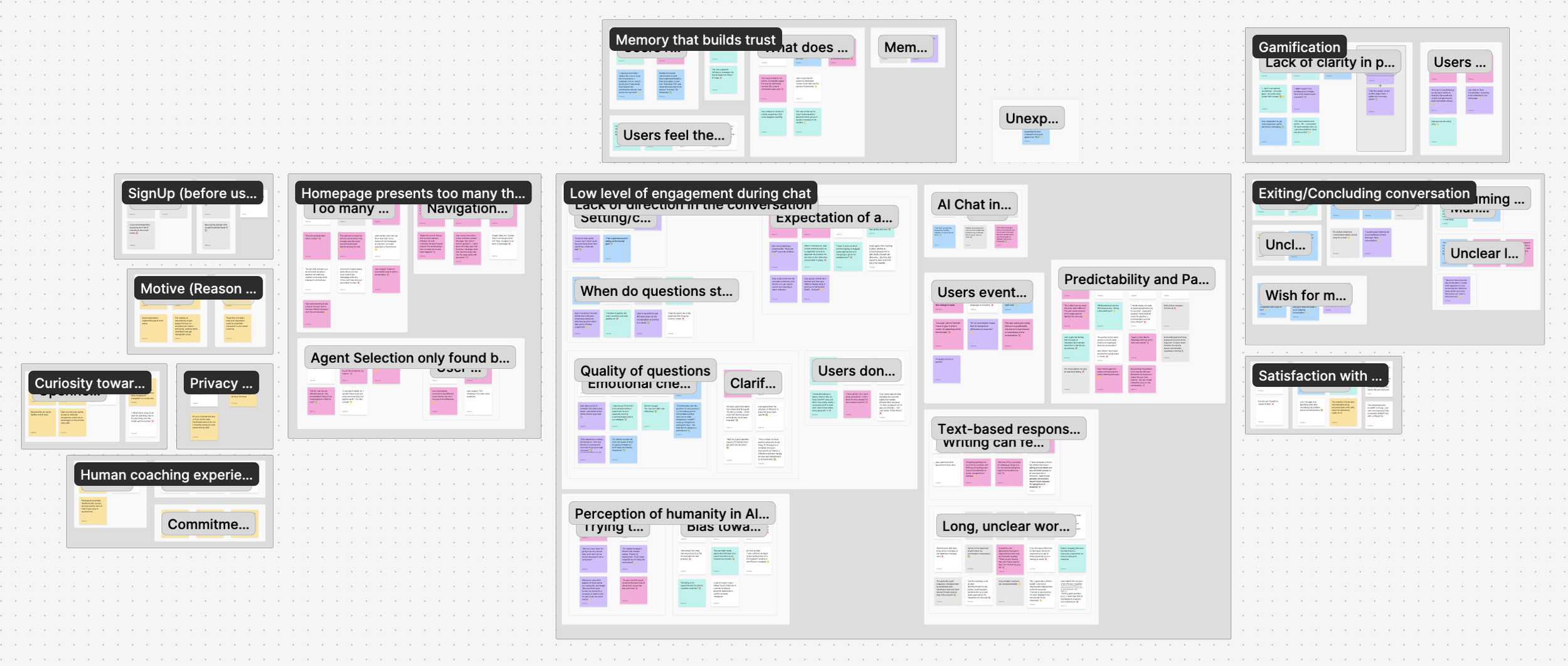
5 core themes emerged:
🕵🏻♂️ Privacy
It wasn't just about data storage; it was about access to transcripts.
"Will my manager see this?"
♻️ Frustration from lack of direction 🎯
Conversations often felt like they were going in circles, without leading to clear progress.
🧡 Value of Human Connection
Users value their long-term relationship gradually built with their professional.
🤝 Trust depends on memory 🧠
While recalling past inputs was highly valued, repeated rephrasing made users question whether they were being truly heard or just mirrored by a machine.
“Oh I have already told you”
🤔 Where do I start?
Too many options on the homepage made it harder for users to get started and slowed down interaction.
PERSONA
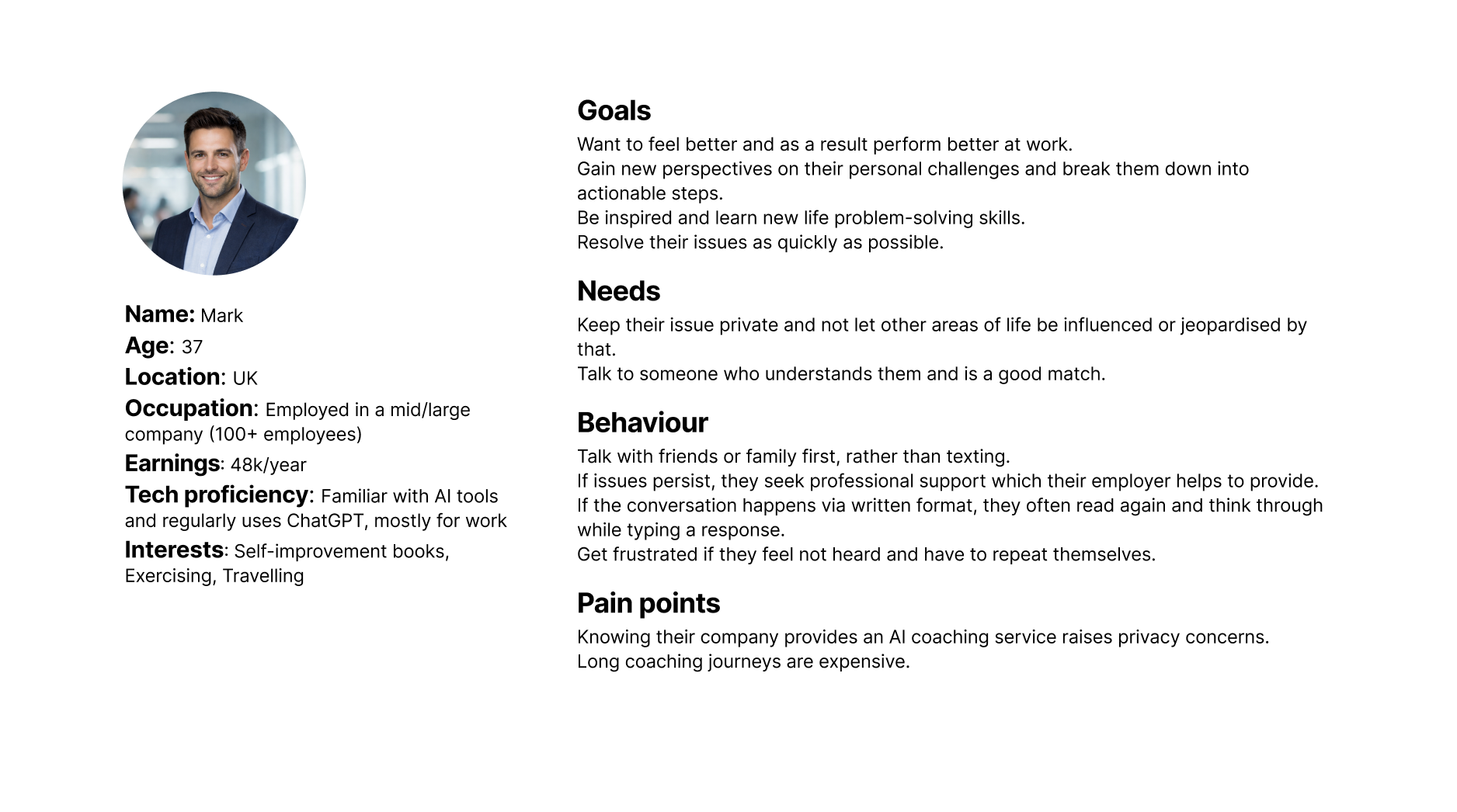
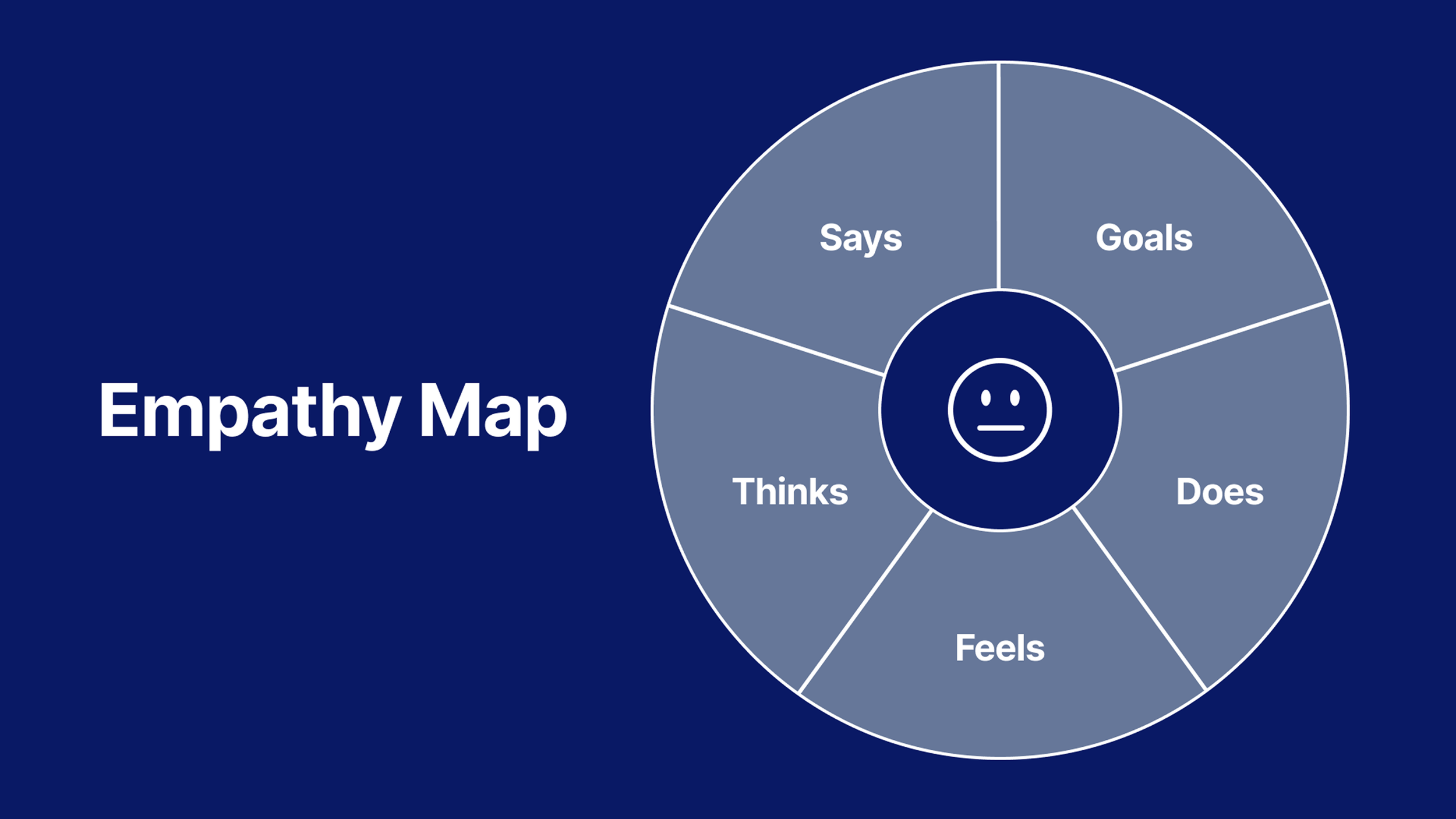
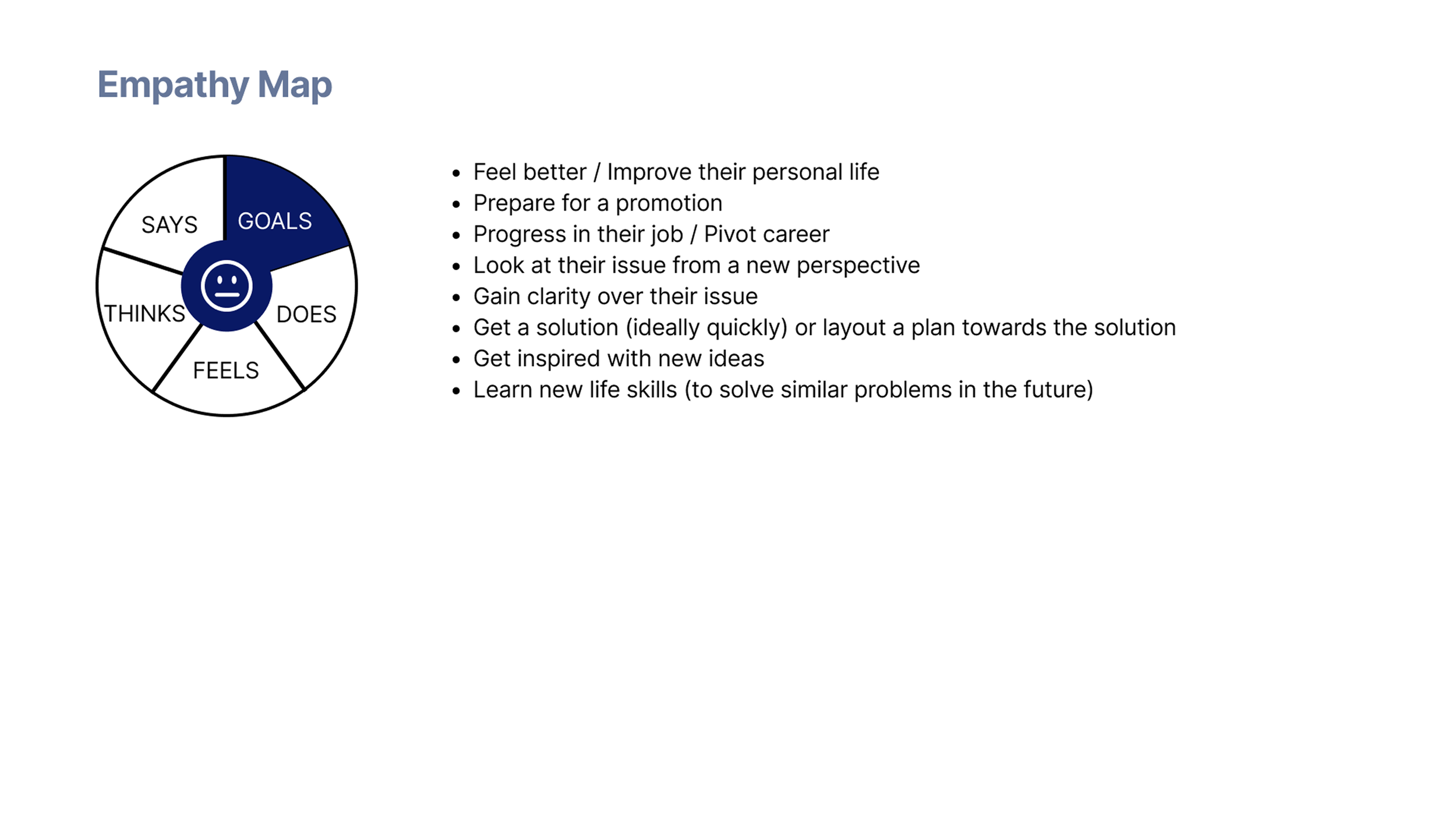
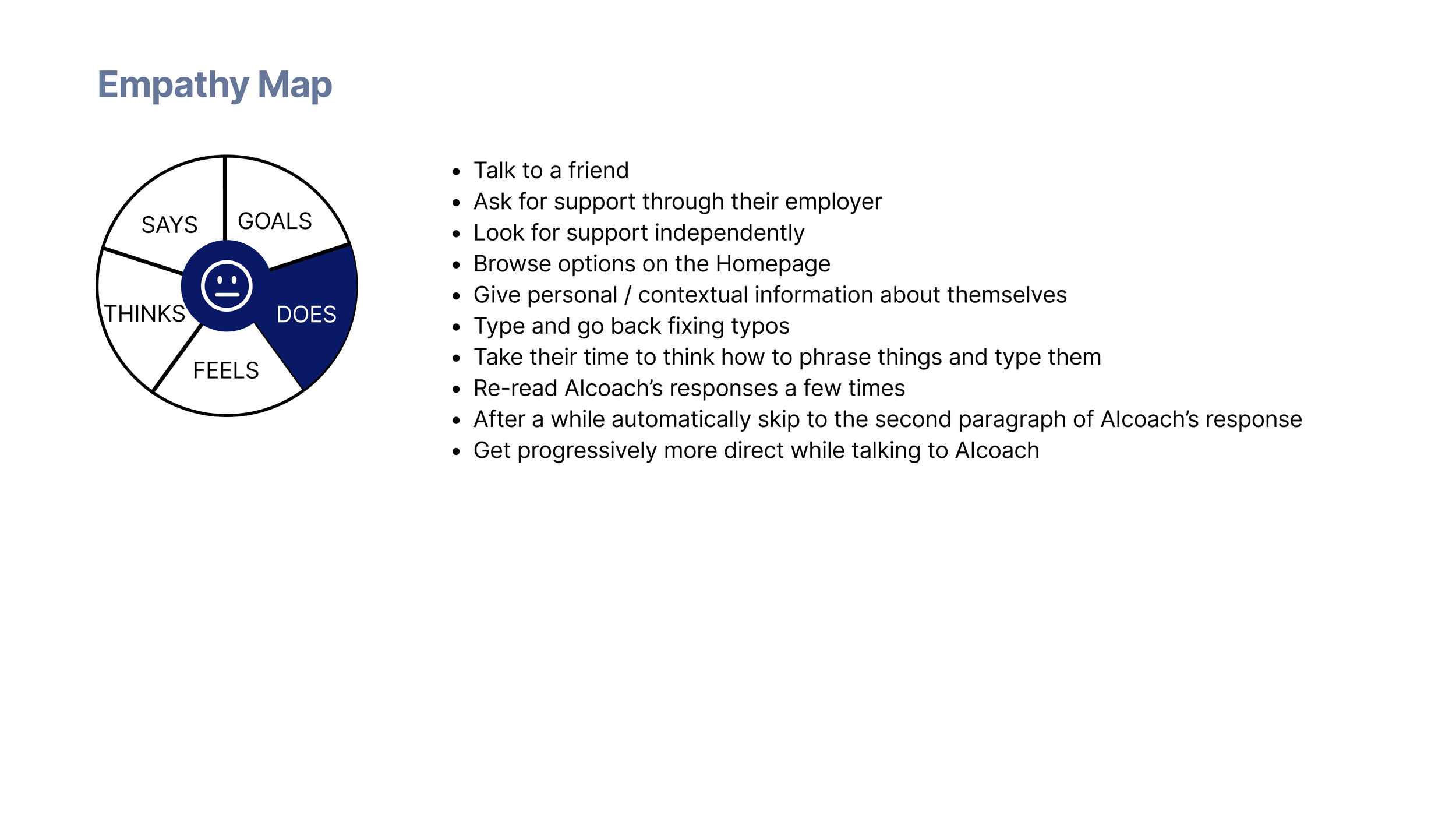
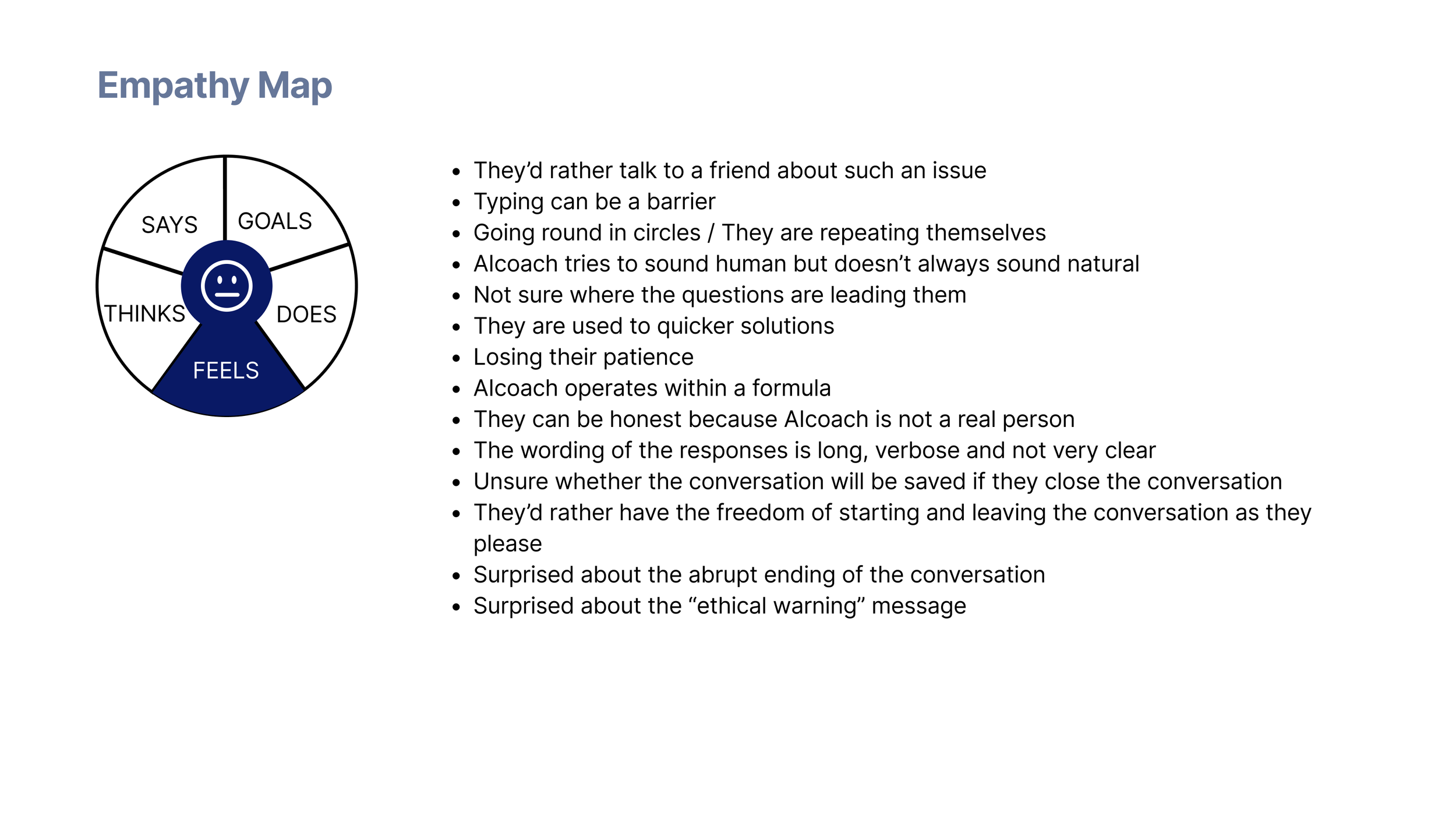
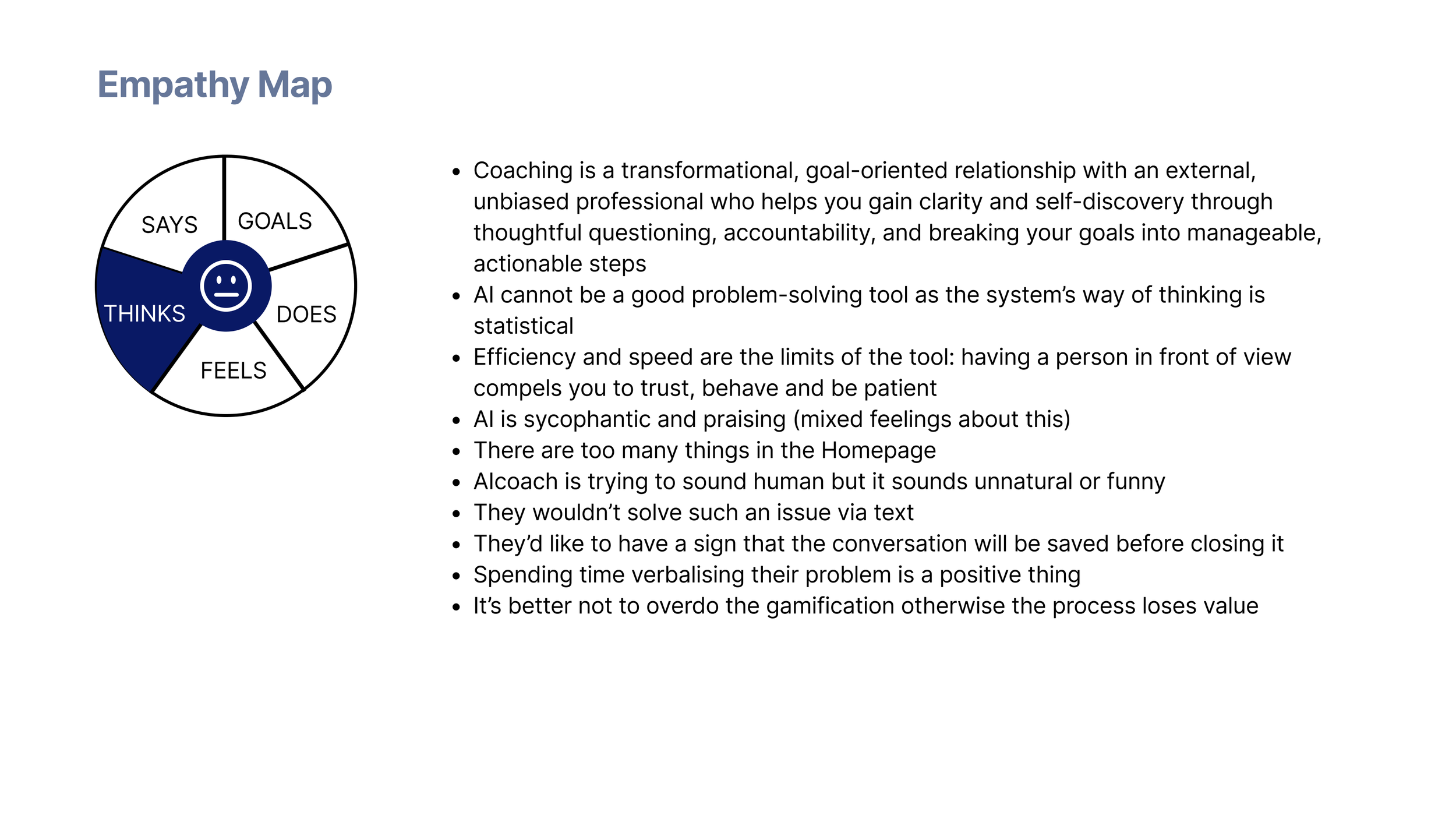
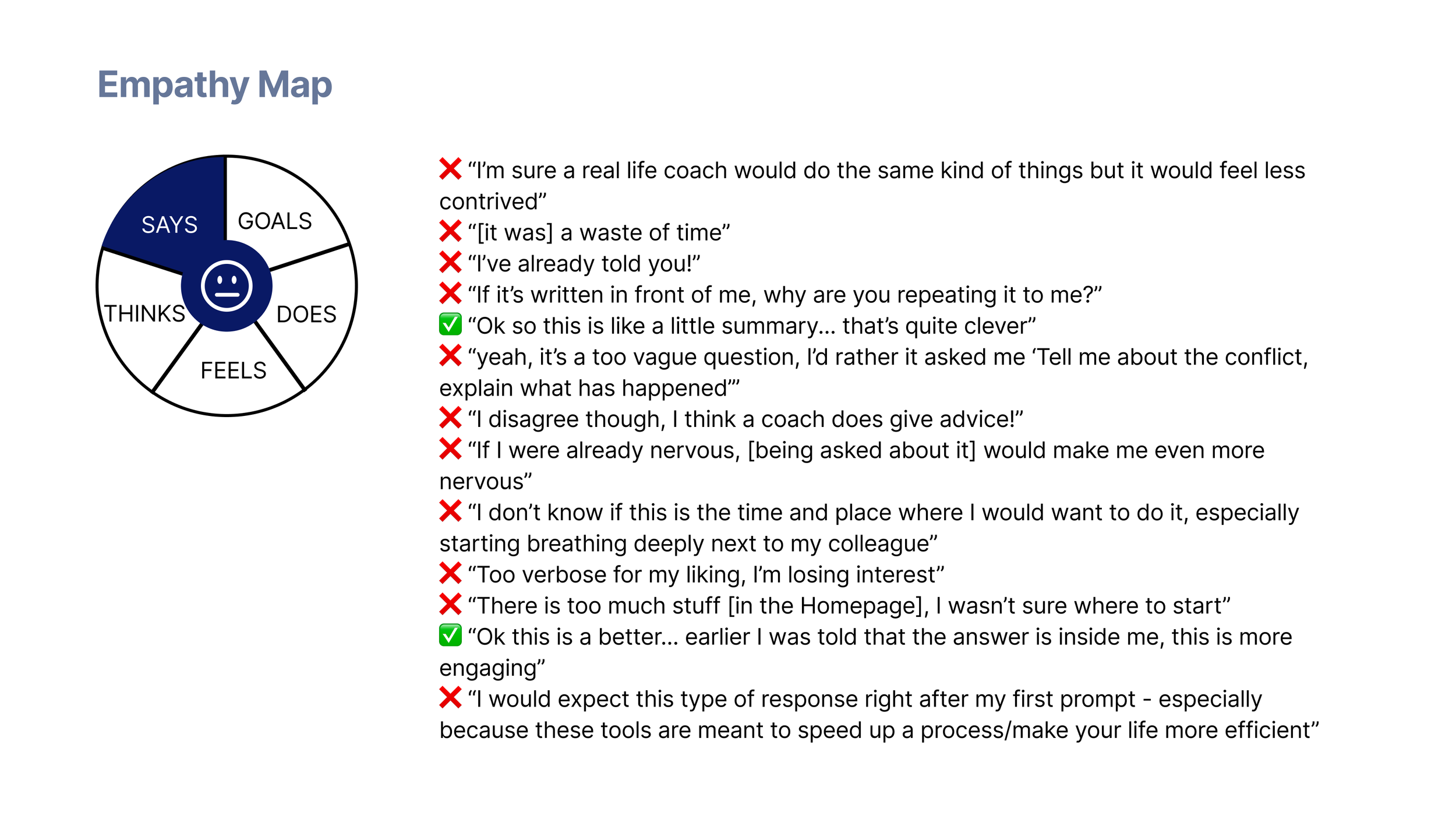
“How might we encourage engagement while setting clear expectations and strengthening trust?”
Ideate
FLOW DIAGRAM
SKETCHES
After discussing the main findings with the client, we agreed on working on the onboarding of a future app version of AIcoach.chat.
We saw it as the user's first opportunity to:
get a real taste of the product
start building a relationship with their coach
be reassured on trust and privacy concerns
I worked closely with the client to map a flow diagram, then sketched initial screens around the following goals:
Build trust first - being explicit about what the app can and cannot do, before asking users for anything
Show the added value - showing the differentiation from a general LLM; mentioning the research AIcoach.chat is based on added a human touch which reinforced trust as well
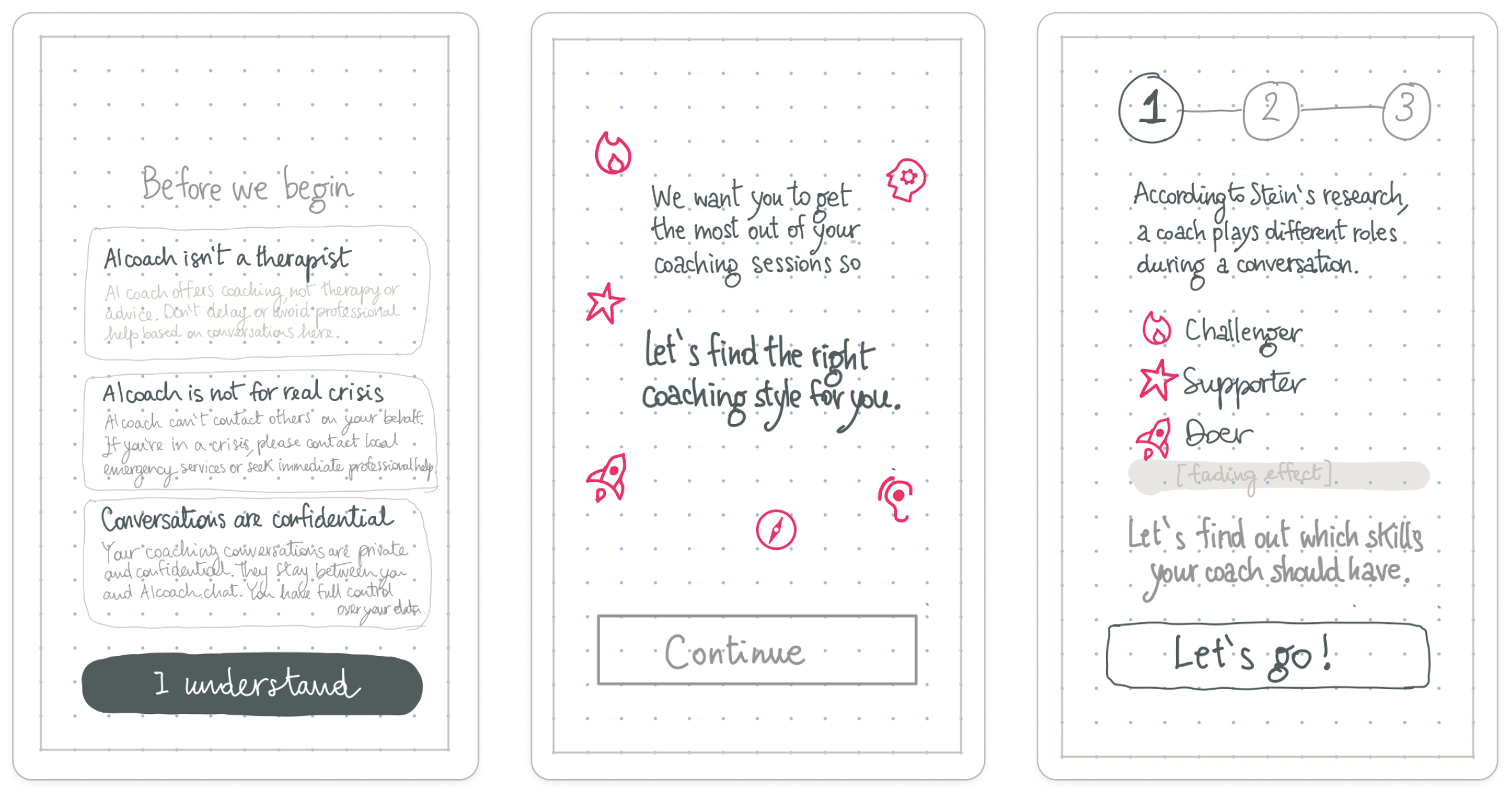
Encourage learnability and discoverability - guiding users through the app from the start and showing the purpose and benefits behind any question shown on screen
Keep momentum - short, flowing, with an approachable feeling both in tone and style; a progress tracker stays visible from the moment the non-negotiables are accepted until the first session is scheduled
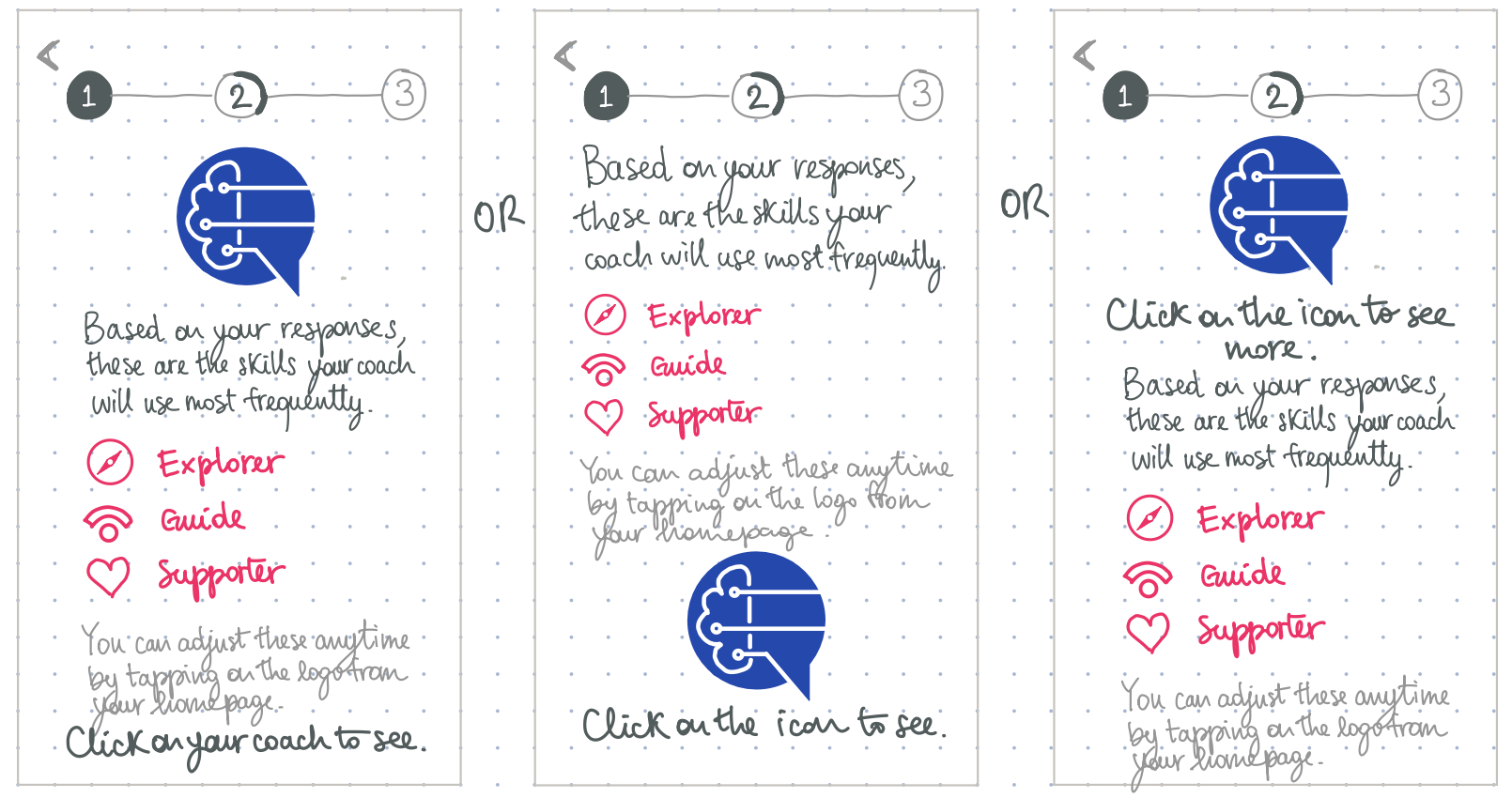
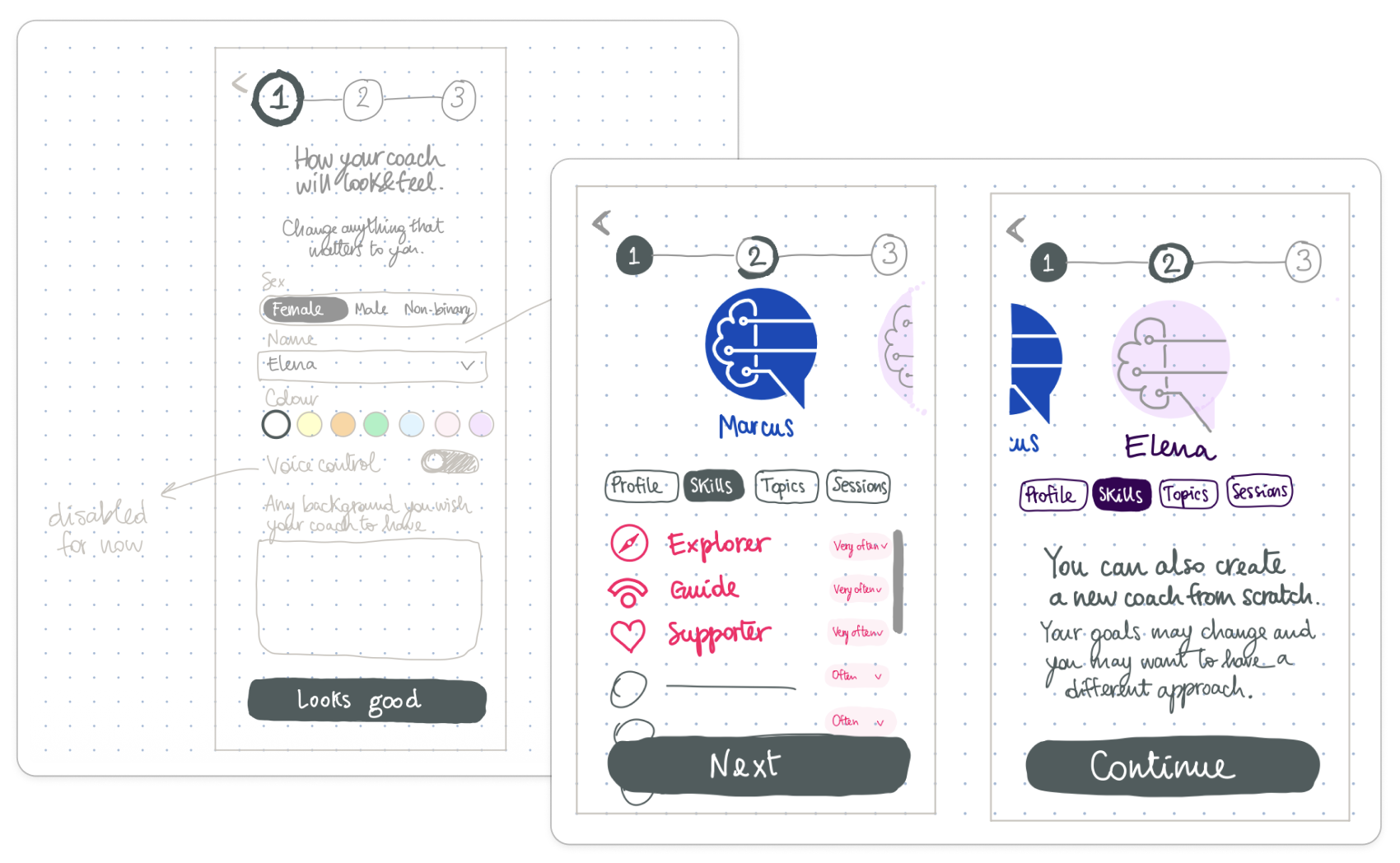
The challenge was showing personalisation without overwhelming users.
Given the friction that had emerged in testing, three multi-choice questions inferring conversation-style preferences had already been set up by the client's team (a constraint I designed around).
Beyond that, users could personalise further (sex, voice, name) but only if they chose to; it was up to them how far that customisation mattered.
Prototype
WIREFRAMES
MID/HIGH-FIDELITY
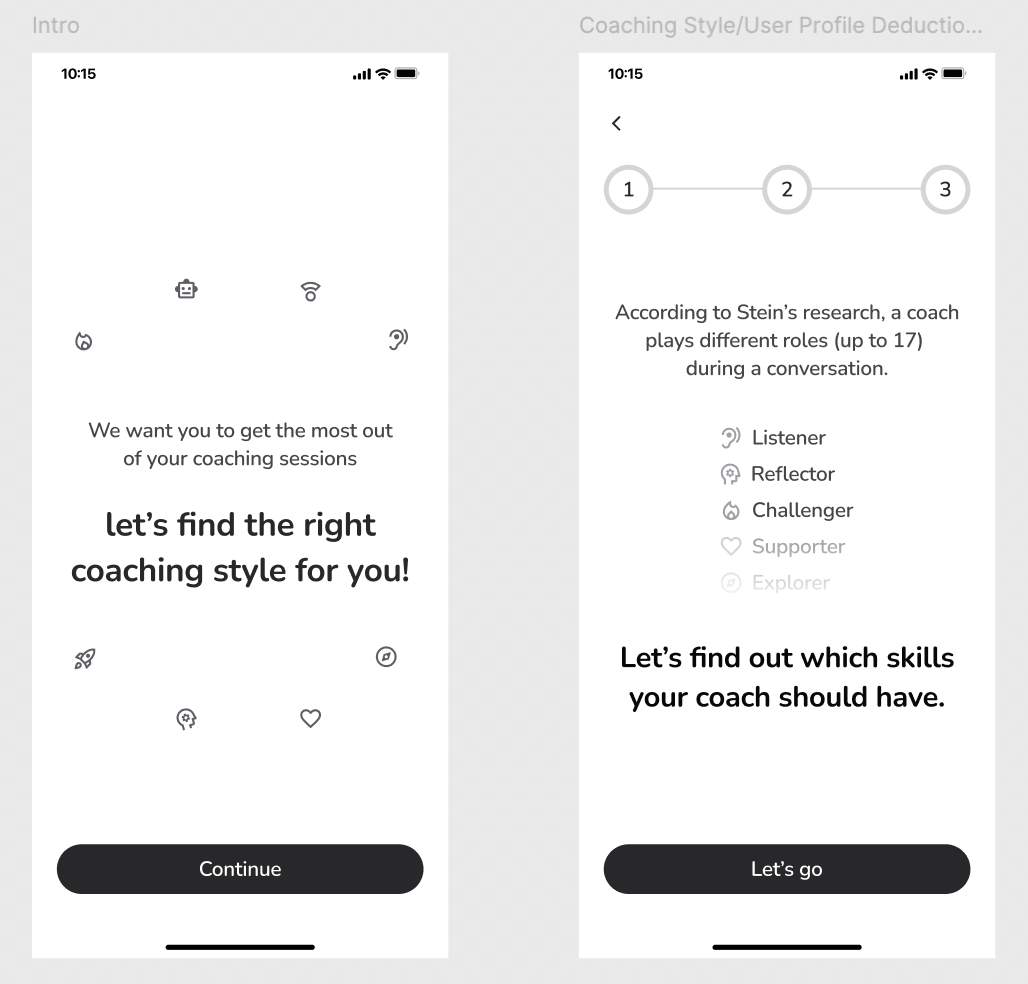
Introducing agents early, but subtly
I wanted users to gradually get familiar with how the coaching method worked, before being asked to customise anything.
The agent icons appeared a few times across initial screens (initially just the icons, to spark curiosity) so that by the time users reached the customisation screen, they'd already recognise the agents.
A human touch, on purpose
Mentioning the research AIcoach.chat is based on was a deliberate choice, serving two purposes: showing the human expertise and methodology behind it, to build trust; and setting AIcoach apart from general-purpose LLMs, to show its added value.
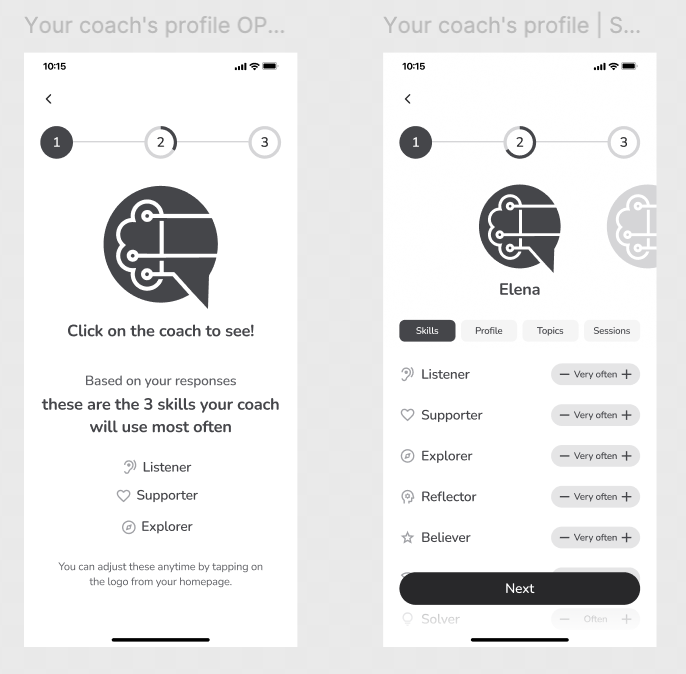
Dropping the CTA button
I deliberately swapped the standard CTA button at the bottom for the AIcoach logo, making it the way users progress through the onboarding.
It’s a small interaction that teaches users early on that the logo is always tappable, and can be used anytime afterwards to customise their coach.
HIGH-FIDELITY
Swift customisation
Rather than front-loading users with questions, I kept the initial ask brief: three quick multi-choice questions let the system infer a starting coaching style, shown back to users as a summary of what it picked up. Users could then add more details (colour, sex, name, etc.) and further context to their coach, but only if they wanted to.
To avoid choice-fatigue, I added a "roll the dice" button to automatically generate a name for users who'd rather skip the decision.
Enhancing the experience
Using the colour kit provided by the client, I kept the dark pink as an accent colour for text hierarchy and to help users recognise the agents.
To convey clarity of mind and calm, I left as much breathing space as possible between elements.
Validate
USABILITY TESTING
USABILITY TESTING
✅ 100%
onboarding completion
most users described it as simple and straight-forward
🧑💻4 out of 5 users rated the experience 4/5
only one user rated the overall experience 3/5
👍🏻 Most appreciated features
Overall clarity: simple, intuitive, easy to navigate
Personalisation engagement: all users read the introductory questions carefully, seeing value in answering to them. They enjoyed having the option to change the coach’s colour and voice, and appreciated the option to add further context to enrich their coach’s profile
Summary as feedback: users liked reading their selections back in a summary format as a confirmation step
Human differentiator: users liked the mention of Stein’s research, which showed the human expertise behind the coach
Logo as CTA: the absence of a CTA didn’t cause any friction; users navigated forward via the logo without hesitation
Curiosity and calendar: 4/5 users were ready to try their coach straight away, but appreciated the “Add to calendar” option
⚠️ Friction moments
Agents customisation screen: 3/5 users hesitated for a few seconds. They had missed the ‘most often used’ cue on the previous screen: seeing the list of all the 17 ‘hats’ displayed left users confused over which agents were actually active, whether they were expected to tweak anything, and what the +/- controls would do
‘Style me’ label: a couple of users were uncertain whether Alex remained their active coach, misreading the option to create a new coach from scratch as a replacement
Reflections
NEXT STEPS / WHAT I LEARNT
FOR THE FUTURE
👣 Next steps
Clarify the copy: improve the agent labels and add short descriptions on the customisation screen, and reword “Style me” on the new coach screen with visual cues showing it’s an optional addition
Hands-on experience: drop the scheduling step so users land on the homepage or go straight into a chat with their coach
Make customisation feel alive: add animations, and show the logo changing colour in real time as users pick one
🤓 What I Learnt
Copy plays an important role in the flow. A single label, “Style me”, made users hesitate and doubt whether their coach had been replaced
Privacy and trust are essential in an AI-first product. Users share personal things with an AI coach, so details on data retention and confidentiality in the first-screen FAQs would build trust earlier